
Pay your lawyer for legal strategy—not archaeology.
Your lawyer does not need your chaos. They need the update.
Not 47 screenshots and a message beginning, “Okay, so this goes back to 2021...” Your lawyer needs what changed, when it changed, the documents that matter, and the questions you still have. Select the useful material, add context, and review the catch-up packet before sharing.
This is not a lawyer portal and not legal advice. Equalora helps you organize what changed. Nothing is sent to your lawyer automatically.
Give the next lawyer conversation a useful starting point.
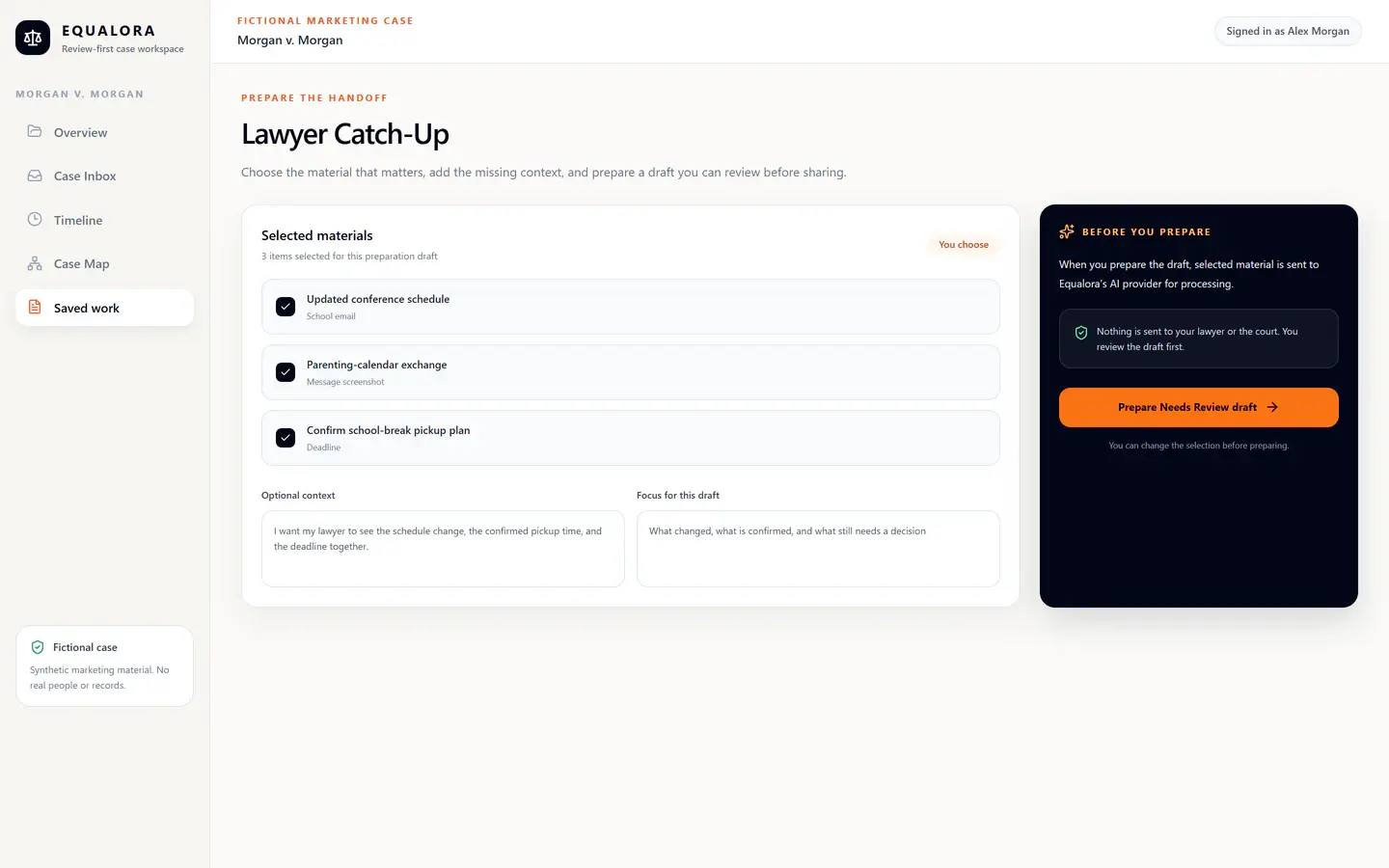
One review-first packet instead of another scattered recap.
The packet gives your update a shape. You still review every line before sending or saving.
From recent chaos to a lawyer update you can use.
Confirm the case, select materials, add context, prepare the Needs Review draft inside Equalora, and review it before sharing.
Choose the case
Start Lawyer Catch-Up in Equalora, then choose the case you want to work with.
Select what matters
Choose the messages, documents, dates, saved work, and notes for this update. Lawyer Catch-Up does not indiscriminately browse everything.
Add context
Explain what changed and review the selected workflow context before preparation.
Prepare inside Equalora
After you choose Prepare, Equalora sends only the listed materials and notes to its AI provider and saves the result as Needs Review.
Review before sharing
Check names, dates, claims, attachments, and sensitive details. Nothing is sent to your lawyer automatically.
Work conversationally without handing over the whole case.
Equalora's ChatGPT connection is being tested with Lawyer Catch-Up and the context selected for that workflow. When access is available, you choose the case and materials, then review the update before using it. Nothing is sent automatically.
The packet is meant to leave the page.
After review, use the output where it helps: copy it into an email, download Markdown, or save it to Equalora Saved Work.
Organize the update. Do not outsource judgment.
Equalora helps you prepare a packet for review. It does not replace your lawyer, decide what you should do, or tell you what to file.
Create a lawyer catch-up packet.
Turn what changed, what you have, what is missing, and what you want to ask into a packet you can review, copy, download, or save.